CurbWaste and Basestation are both waste management solutions to help haulers manage orders, drivers, containers, routes, and billing. Both cover several areas of the waste industry, but their strengths are a little different.
CurbWaste is best known for its roll off and transfer station solutions, while also offering features for commercial and residential waste operations. Basestation brings roll off, commercial front load, residential curbside, and portable toilet operations together in one account.
This can make a difference if you offer more than one type of service. For example, if you run a roll off business and also rent portable toilets, Basestation enables you to manage both through the same platform, using the same customer records, dispatch tools, and billing system.
In this CurbWaste vs. Basestation comparison, we cover what each platform offers, where they differ, and the type of hauling business each one is best suited to support.
Quick answer: CurbWaste has a strong focus on roll off and transfer station operations, with support for commercial and residential waste services as well. Basestation was built to support haulers running multiple service lines. It brings roll off, commercial front load, residential curbside, and portable toilet operations together in one platform, with dedicated features and workflows to support each. It also supports septic pumping and dump truck hauling, giving haulers the tools to manage different parts of their business without juggling multiple systems.
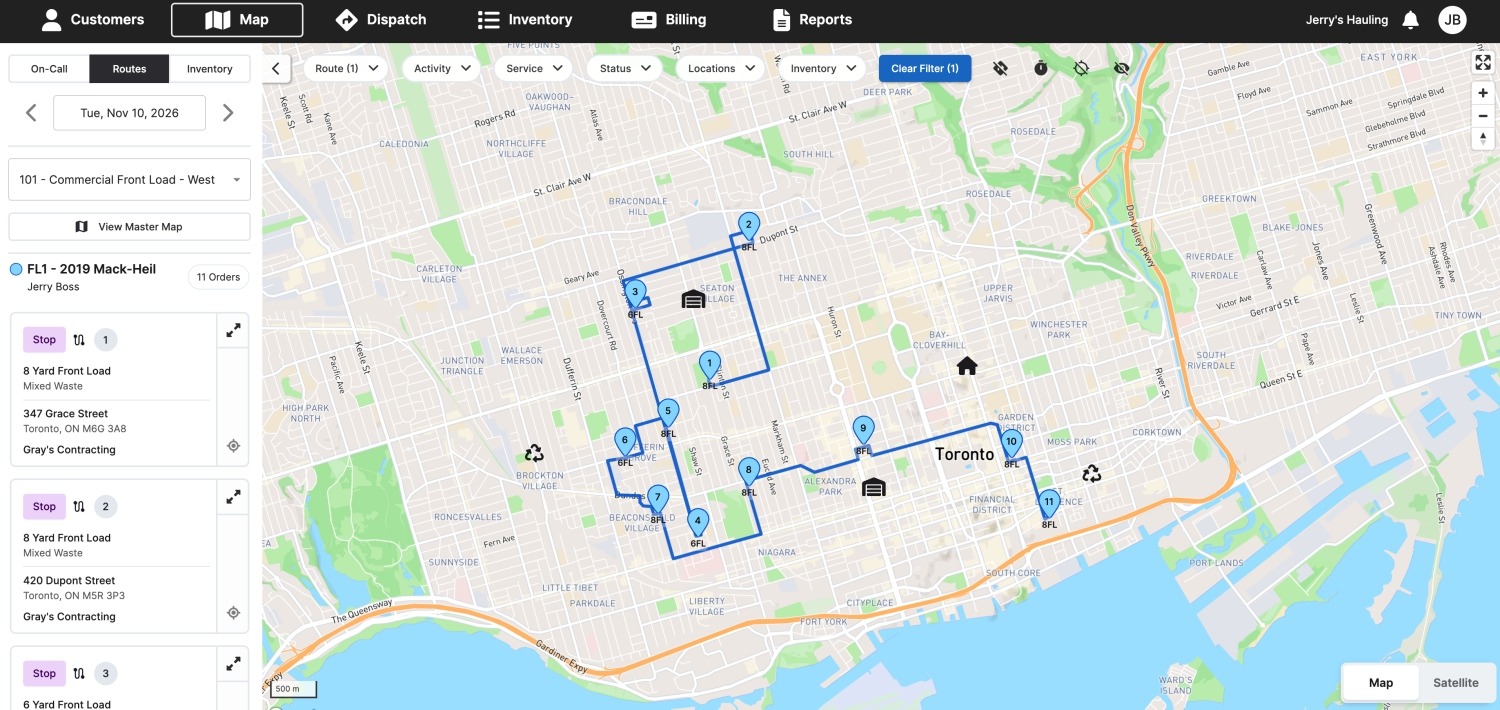
Basestation is cloud-based waste management software for independent waste haulers. It lets your team take orders, plan and dispatch routes efficiently, track containers and units, invoice customers, and collect payments easily — all from one user-friendly platform. With the driver app, drivers can see their work and stay up to date with any changes to their routes without dispatch needing to make constant calls.
The main difference between CurbWaste and Basestation is that Basestation is built for multiple services. A single account runs roll off, commercial front load, residential curbside, and portable toilets so that you can run all your operations from one place instead of several. This keeps all your business and service records organized and easy to manage.
That's exactly why we started Basestation. After working at one of the largest waste companies in North America, we saw how smaller haulers were often left managing their operations with pen and paper or spreadsheets because waste management solutions were too expensive or complicated to use. We built Basestation for those smaller haulers.
Now, more than 150 haulers use it, and, in 2026, it won Capterra's Best Value award for Route Planning and Software Advice's Most Recommended and Best Customer Support awards.
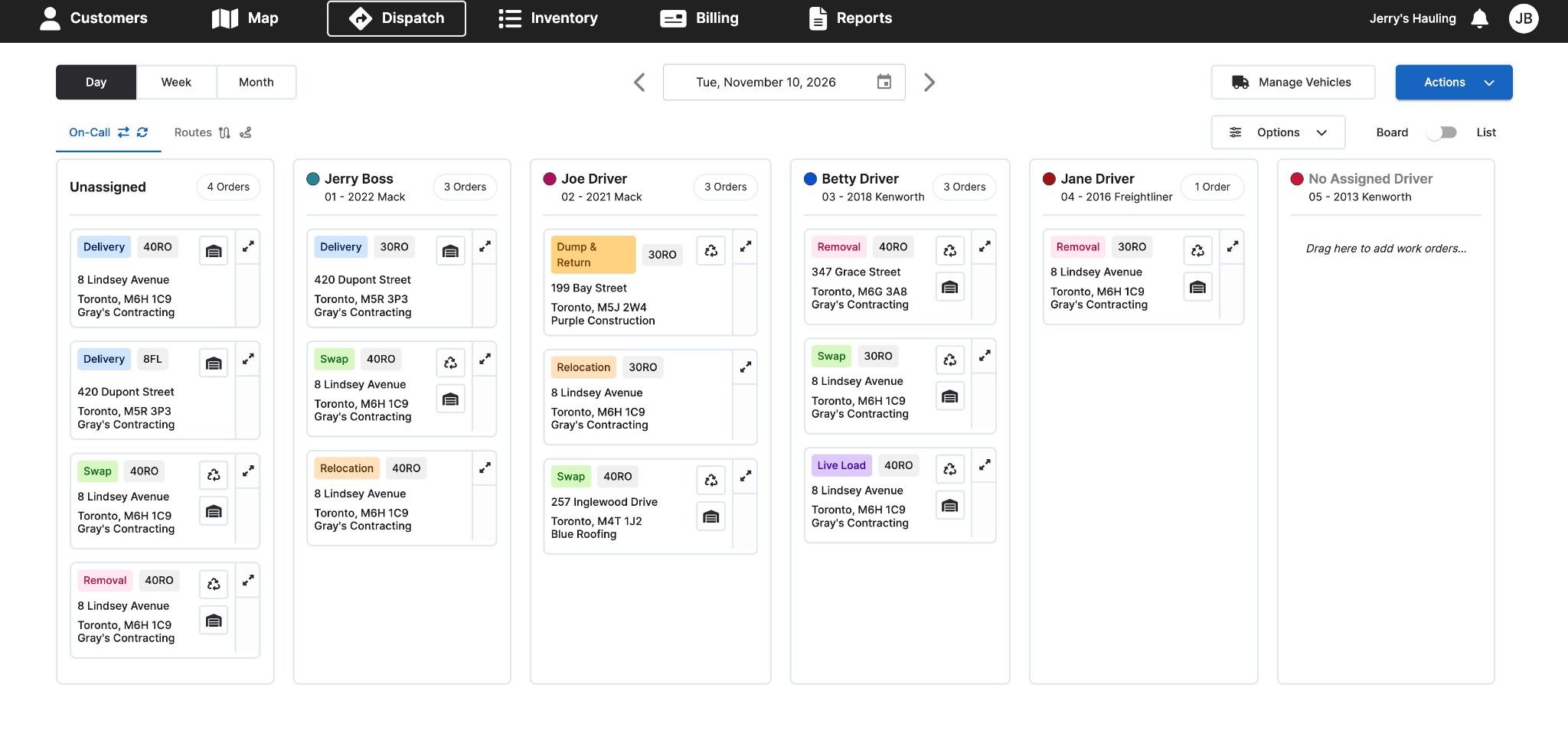
Basestation helps haulers spend less time on admin and keep day-to-day operations running smoothly. Here's what some of our customers have to say about the difference it's made to their businesses.
"Billing now takes half the time it used to. Basestation's automated billing drastically reduced our manual input, making our billing process faster and more accurate." — Mr. Waste
"We're now able to spend less time handwriting routes and are able to focus on growing our business, while also keeping a pulse on our work orders and inventory." — Adam's Disposal Service
Basestation is rated 4.7/5 on Capterra and reviewers mention how easy Basestation is to use and learn and how quickly our support team responds. Others like the features for tracking containers on a map, billing customers directly from Basestation, and running front load and roll off in one program.
"Basestation not only has the best customer service, but it is very user friendly." — Owner, Capterra review
"Keeps track of all my containers and has a map to see where they are. No more losing my containers for months!" — Transportation manager, Capterra review
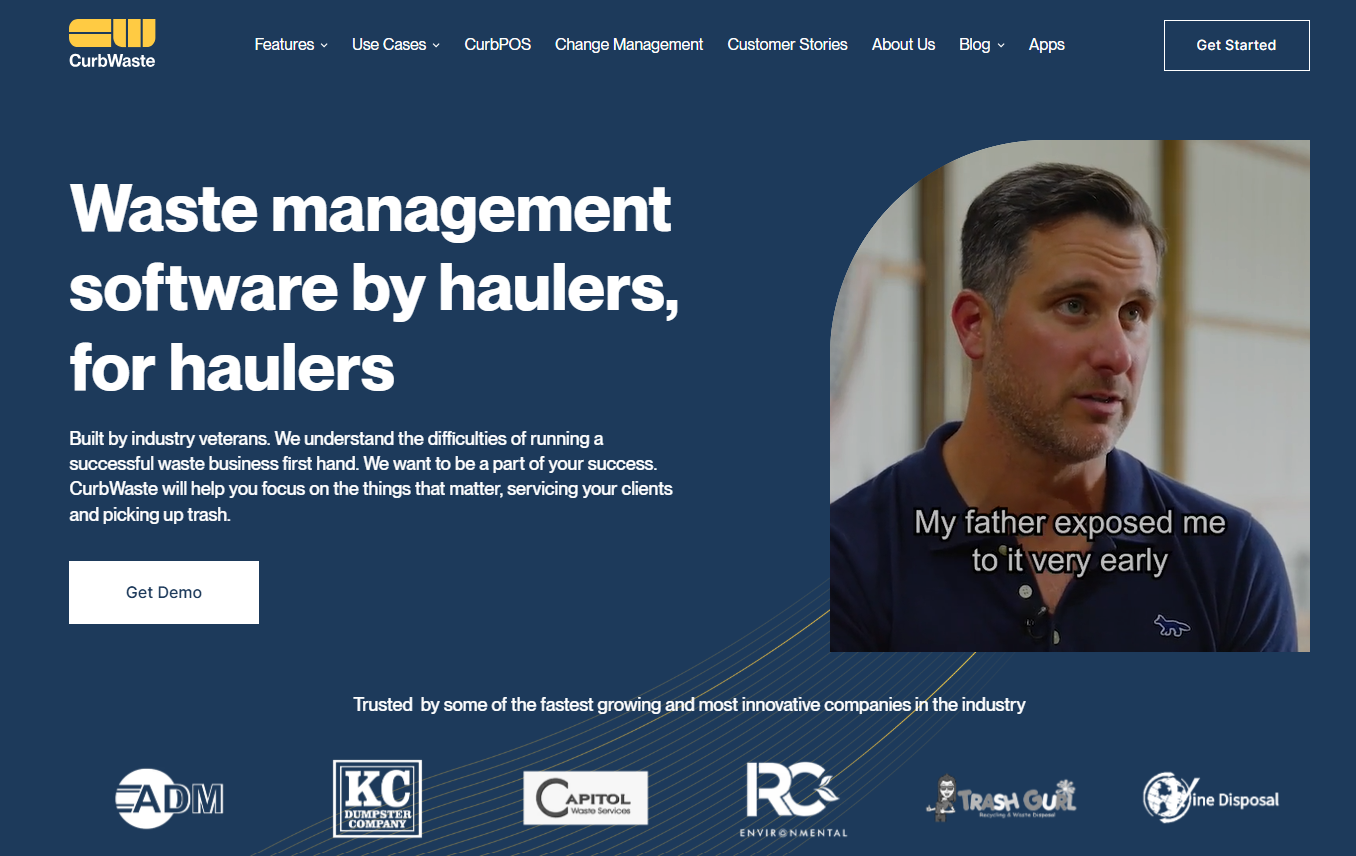
CurbWaste is waste management software with a strong focus on roll off and transfer station operations, alongside support for commercial and residential hauling. It helps haulers manage the day-to-day work involved in taking orders, scheduling services, dispatching drivers, tracking containers, and billing customers. That means having a central place to manage orders, plan routes, and keep track of inventory.
Drivers use CurbWaste's mobile app to access their work, send notes and photos, and update the office on service progress. Customers can also receive status notifications, helping keep everyone informed without the office having to make constant check-in calls.
Haulers can also embed CurbWaste's online ordering on their own websites so that customers can easily book and pay for services.
For businesses operating transfer stations, there's also CurbPOS, which is a separate point-of-sale product for managing transactions and payments at the facility.
For haulers that also operate a transfer station or waste facility, CurbWaste offers CurbPOS. This is a separate point-of-sale system designed to manage activity at the facility. Scale house staff can use it to record inbound and outbound loads, take card payments at the terminal, and bill both frequency and COD customers by card or ACH.
CurbPOS gives operators a way to keep track of activity at the facility, with reports covering orders, inbound and outbound tonnage and yardage, as well as LEED and RCI recycling reports.
CurbWaste and Basestation both handle routing, dispatch, driver communication, billing, asset tracking, and reporting, but they do approach some of these tasks differently. Here's a closer look at how their features compare.
CurbWaste lets you create route plans, arrange stops using drag-and-drop, and optimize the order of existing stops based on the shortest distance. Its Dispatch Scheduler also makes it easier to plan ahead and adjust routes, from the day before service up to two weeks in advance.
Basestation takes a different approach to route optimization. It uses customer service days and addresses, along with each truck's start and end points, to determine the most efficient stop sequence.
Dispatchers on both platforms can still make manual changes to routes and send updates to drivers.
Both platforms give drivers a way to access their work and send updates, notes, and photos back to the office. CurbWaste also lets drivers record ticket details and additional job charges in the field, which the office can review when preparing invoices. Drivers can update job statuses and notify customers as work progresses.
Basestation's driver app works without cell service, so drivers can still access their assigned stops in areas with limited coverage. Drivers receive route changes, mark orders complete, and send exceptions, notes, and photos back to the office, and customers receive real-time text or email notifications on the status of their service.
Invoicing and payments are automated in each platform, and they both integrate with QuickBooks Online for easier accounting.
CurbWaste lets haulers set custom pricing for customers and manage billing through recurring templates, a billing queue, and manual invoices. Additional charges recorded by drivers in the field can flow through to invoices, and cards on file can be charged when an order is placed or a job is completed.
Basestation's billing also accounts for the rental and weight-based charges that come with running different service lines. It automatically prorates rental charges when units are added or removed during a billing cycle and uploads scale ticket data to invoices for accurate weight-based billing. Invoices, payments, customer records, and sales tax sync to QuickBooks Online in real time.
Both platforms give haulers a clearer view of where their containers are and how long they've been at a job site.
CurbWaste tracks both serialized and non-serialized inventory, and its inventory projections help the office plan around future orders. Drivers can also check what's available at each yard and reserve a specific asset in the app before heading out. This helps avoid sending drivers to collect containers that are no longer available.
Basestation focuses on keeping assets moving and reducing time spent sitting idle. The office can see where each unit is, how long it's been out, and when it's due to move. Basestation also sends alerts when containers or units are due to move and automatically calculates additional rental day fees, helping haulers keep inventory moving and capture all billable rental days.
Reporting helps you see how much work your team has completed and gives you a clearer picture of profitability, outstanding payments, and how efficiently your routes and assets are being managed. With that information on hand, you can spot issues, make better decisions, and identify where there's room to improve.
CurbWaste lets you break down reports by service, customer, material, and dumpsite. You can also review accounts receivable and payment history to keep track of what customers owe and what they've paid.
Basestation puts more emphasis on route profitability and operational performance. Financial reports show profit by route, helping you decide where to add stops, adjust pricing, or rework a route. Productivity reports show how long each container has been out, making it easier to check that rental days are being billed correctly. For septic and portable toilet operations, you can also report on gallons pumped and disposed by disposal site, county, or month.
CurbWaste supports roll off, commercial, and residential hauling, but its core workflows are geared more toward dumpster rental and transfer station operations.
Basestation is built for haulers running multiple service lines. It brings roll off, commercial front load, residential curbside, and portable toilet operations together in one platform, with each service line getting its own place on the dispatch board.
Basestation also supports septic pumping and dump truck and aggregate hauling.
Both platforms can support roll off waste haulers, but the better fit depends on the services you offer and how you plan to grow.
CurbWaste may be a good fit if you:
Basestation may be a better fit if you:
CurbWaste is a solid option for haulers focused primarily on roll off and dumpster rental operations. While it also offers support for commercial and residential waste services, its feature set is more closely centered on roll off and transfer station workflows.
Basestation is a better fit for haulers running multiple service lines and looking to manage them all in one platform. Alongside roll off, commercial front load, and residential curbside, you can manage portable toilets, septic pumping, and dump truck and aggregate hauling operations. With shared customer records, dispatch, driver tools, and billing, your team doesn't have to juggle separate systems as your business grows.
More than 150 haulers use Basestation to manage their routes, drivers, and billing. Book a demo to see how Basestation can support your operation.
If you're comparing other CurbWaste alternatives, see our articles on Docket vs. Basestation and Box Tracker vs. Basestation.
It mostly comes down to the services each one covers. CurbWaste is best known for roll off and transfer stations, but it offers support for commercial and residential hauling too. Basestation was designed for multi-service haulers and runs roll off, commercial front load, residential curbside, and portable toilets in one account. Every service shares the same customer list, dispatch board, and billing.
Basestation is a good fit if you run roll off and also offer, or plan to add, commercial, residential, or portable toilet services, since everything runs in one account. Customers order a dumpster online and pay at checkout. The office sees how long each container has been out, and extra rental days go onto invoices automatically. CurbWaste suits a roll off hauler that also runs a transfer station, since it sells CurbPOS for the scale house.
The best alternative depends on the services your trucks run. Basestation is a good fit for haulers that run portable toilets alongside roll off, commercial, or residential work, with every service on one dispatch board and one invoice per customer. Docket is dumpster rental and trash route software, and Box Tracker is built around roll off container tracking.
Yes. The Basestation driver app is a native app for any iOS or Android phone or tablet, and it works without cell service. Drivers use one app for every service line to see their routes, get changes from dispatch in real time, send exceptions or service issues, notes, and photos, and mark orders complete.
Yes. Basestation puts each day's stops in the most efficient order using each customer's service day and address and each truck's start and end points. Dispatchers can then reorder stops, move them between trucks, or split long routes by drag-and-drop, and routes update automatically when customers pause or cancel.
Yes. Basestation integrates with QuickBooks Online. Invoices, payments, customers, and sales tax created in Basestation appear in QuickBooks in real time, and your bookkeeper doesn't have to re-enter them. The sync runs one way, from Basestation to QuickBooks.
CurbWaste doesn't publish its pricing. Waste Dive reported in October 2025 that CurbWaste charges an initiation fee and then a monthly fee that usually comes to about $250 to $300 per driver for small haulers, with custom pricing for larger fleets. It doesn't offer a free trial.
Basestation is priced per truck, and what you pay follows the size of your fleet. Basestation doesn't offer a free trial, and pricing is shared during a demo. Book a demo to get a quote.